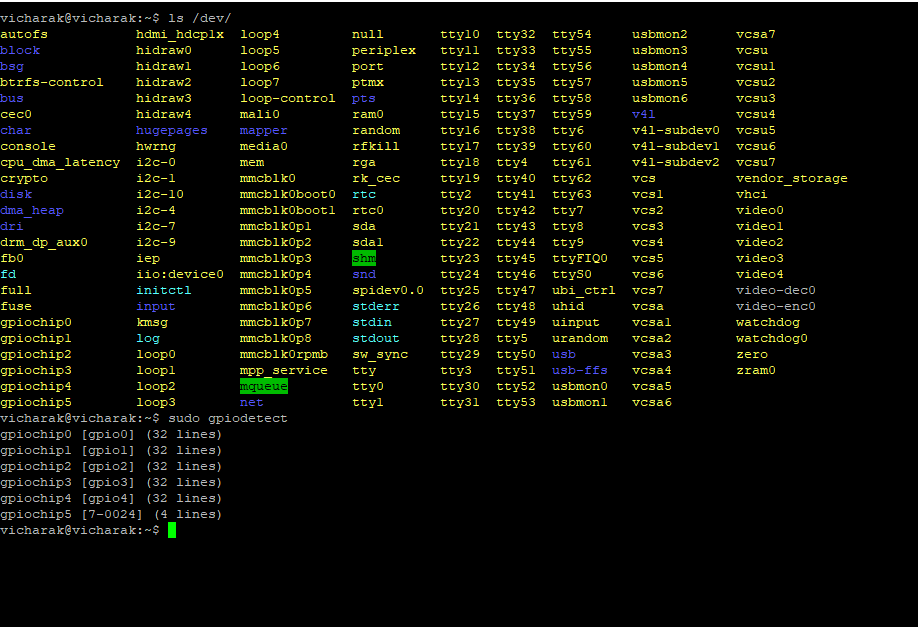
Those do not belong to the processor, They are coming from the FPGA,
RK3399 - (gpiochip1 to gpiochip4)
There is 1 internal gpio expander, which makes gpiochip5
Now on top of that, when you use periplex other gpiochips will be created.
Okay, Understood .
This is my json file:
{
"gpio": [
    {
        "id": 1,
        "GPIO-0": "GPIOR_168",
        "GPIO-1": "GPIOL_17",
        "GPIO-2": "GPIOL_20",
        "GPIO-3": "GPIOL_18",
        "GPIO-4": "GPIOR_187",
        "GPIO-5": "GPIOL_24",
        "GPIO-6": "GPIOL_66",
        "GPIO-7": "GPIOL_62"
    }
],
"pwm": [],
"ws": [],
"spi":[],
"onewire": [],
"can": [],
"i2s": []
}
so GPIOR_168 is gpiochip6, pin = 0
1 Like
Okay . Any update regarding gpio handling ?
We’ve fixed some things and added new protocols as well. Follow below instruction to update the periplex,
sudo apt update && sudo apt upgrade
sudo apt install periplex
After installing the latest periplex, make sure you once power off the board, unplug the adapter and again plug the adapter.
Now you can run periplex-sync again and you can try doing whatever you were doing before.
This should fix everything, let us know the feedback.
Make sure you update the JSON like Usage guide for Periplex | Vicharak
We have added protocols and due to that the JSON protocol additions are required.
Thanks, I will check and update you
1 Like
Hello @djkabutar ,
This is my updated JSON file. But not showing ttyPERI0 and gpiochip6
vicharak@vicharak:~/Desktop/JSON_files$ cat test.json
"gpio": [
    {
        "id": 1,
        "GPIO-0": "GPIOR_168",
        "GPIO-1": "GPIOL_17",
        "GPIO-2": "GPIOL_20",
        "GPIO-3": "GPIOL_18",
        "GPIO-4": "GPIOR_187",
        "GPIO-5": "GPIOL_24",
        "GPIO-6": "GPIOL_66",
        "GPIO-7": "GPIOL_62"
    }
],
"pwm": [],
"ws": [],
"spi":[],
"onewire": [],
"can": [],
"i2s": [],
"i2cslave": [],
"jtag": [],
"dht": []
}
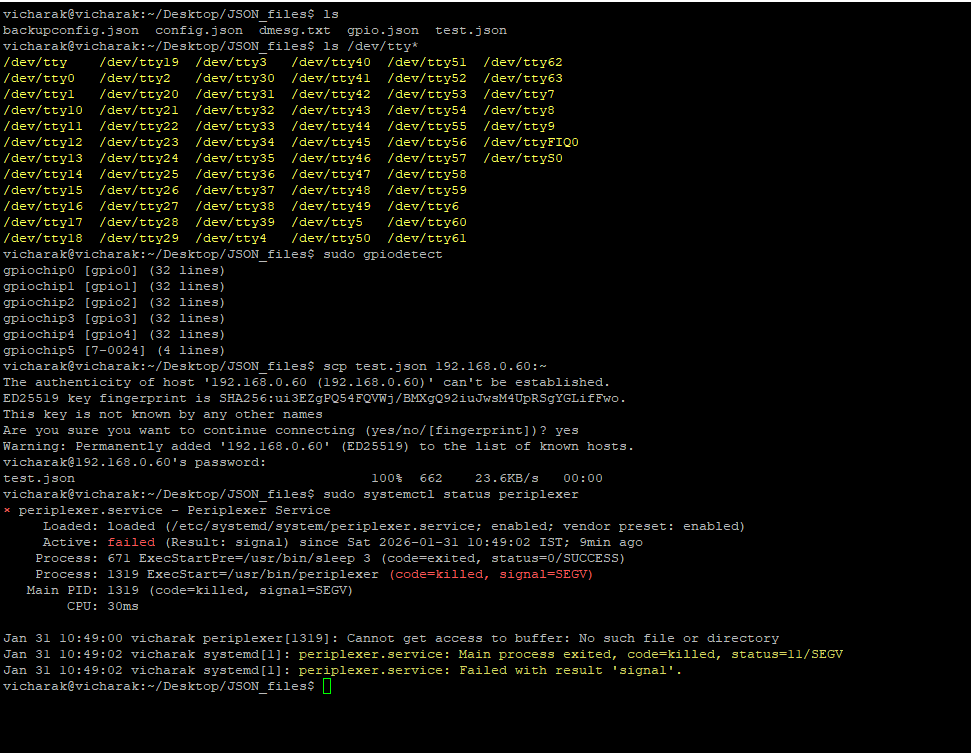
Can you share me the output of
systemctl status periplexer
vicharak@vicharak:~/Desktop/JSON_files$ systemctl status periplexer
vicharak@vicharak:~$ systemctl status rah
I am using this commands for Restart periplexer, so now its showing
sudo systemctl daemon-reload
Try rebooting your board once & check if it works as is, I’ll test it on our boards as well.
After rebooting the system not showing uart & gpio
I’ve created the same scenario as you, I’ll fix that and let you know
Okay, Please let me know when it is fixed.
There was issue in the service file, we have changed it, you can apply this way,
sudo apt update
sudo apt install periplex
Make sure you do periplex-sync again after update
Hello @Avi_Shihora @vatsal @djkabutar @Akshar
I am using ttyPERI0 for UART communication between the STM32 and Vicharak. Occasionally, the RX stops working while TX continues to function.
STM32 continuously transmits data to Vicharak over UART (ttyPERI0), including GPS and digital I/O data. However, at times, Vicharak stops receiving the data. After a restart, it begins receiving the data again.
On some boards, ttyPERI0 is detected, but when I test it by shorting the RX and TX pins, it still does not work.
vatsal
March 20, 2026, 9:14am
81
Can you share the script you use to perform continuous data transmission?